The Fire TV Home row shows a 16:9 crop of your square app icon
On this page
Giving the open-source TV app its own icon looked like a five-minute job. We installed the first one on a Fire TV Stick with Vega OS 2.0 in developer mode, went to the Home screen and found half of our name missing.
One icon, two shapes
A Vega app’s manifest has one image for the app, and it lives under [package]:
[package]
title = "BoothWall Open"
id = "com.boothwall.app"
icon = "@image/app_icon.png"
It’s a 512×512 PNG. Amazon’s manifest docs describe it as the icon for the Settings screen, and we didn’t find a separate field for a tile or a banner.
We had drawn both anyway. Our brand kit has a 1280×720 Fire TV tile and a 320×180 TV banner. An app you install in developer mode uses neither, so they stay in the kit unused. On the Stick, the 512 square is all there is.
The Home row, “Your apps and channels”, uses that same square. It doesn’t shrink it to fit, though. It cuts a 16:9 band out of the middle: roughly rows 112 to 400 of the 512 square, so a 512×288 strip. Everything above and below that band is gone.
1Attempt one
2Attempt two
3What worked
Attempt one: the name falls off the bottom
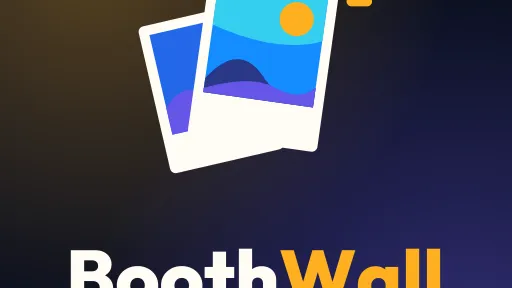
Our first icon was a stack: two polaroids at the top and “BoothWall” underneath. In a square it looked fine. On the Home row the launcher kept the middle, which meant the top of the front photo card was cut off and only the upper half of the name was left. You could just about guess “BoothWall” if you already knew it was there.
Attempt two: a card inside a card
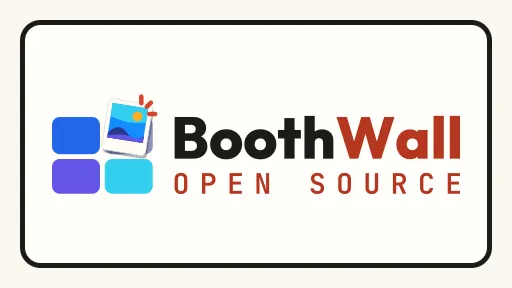
So we moved everything into the band. The second icon put the mark and the name side by side on a paper-coloured card with an ink frame, and “OPEN SOURCE” in thin, letter-spaced capitals underneath. The crop of the 512 square looked tidy on a laptop screen.
On the TV it didn’t work, for four separate reasons:
- The launcher draws its own rounded corners and a white focus ring around the tile. Our ink frame sat just inside them, so it read as a card inside a card, and the frame used up the edges.
- The name only took up about half the width of the tile.
- The thin, spaced-out “OPEN SOURCE” broke up into pixels at that size.
- A near-white tile in a row of dark tiles glared.
What worked: treat the band like a TV banner
Android TV apps have a separate 16:9 banner image for the launcher. Vega doesn’t, so we drew the band as if it were one. We gave ourselves a margin inside it as well: everything had to sit within x 40–472 and y 128–384 of the square, a little in from every edge of the band. Then:
- Colour runs to all four edges, with no frame or inner card. The launcher already adds the corners and the ring.
- The wordmark is the biggest thing in it, across about 70% of the width.
- The small label is a solid pill with bold text inside, rather than tracked small capitals.
- The background carries on through the rest of the square. Nothing the tile needs sits outside the band, but the Settings screen shows the whole 512 icon, so it should still look deliberate there.
We also mocked a paper-coloured version without the frame. In a mocked-up dark row, our site’s paper colour still glared and a darker one turned brown. The deep paper in between was a real option, but the ink one won.
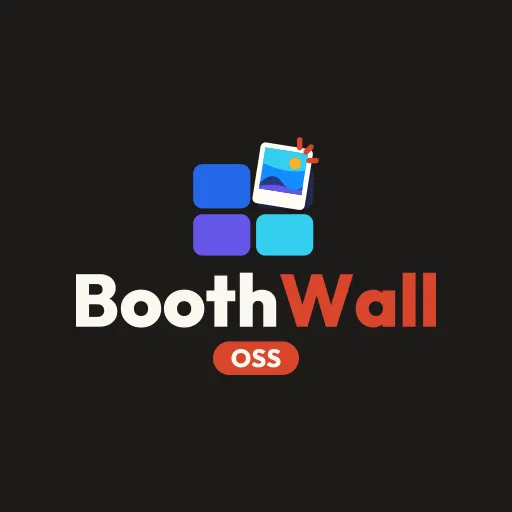
We went with a dark ink field, the mark above the name and a solid tomato pill below. Measured on the square, the lockup runs from y 137 to 375, inside the margin with about 25 pixels of the field above and below it. On the TV it was acceptable. After two misses, that was all we wanted. Later we shortened the pill’s text from “OPEN SOURCE” to “OSS”, which also made it bigger on the tile. It’s apps/tv-vega/assets/image/app_icon.png in the repo if you want to see the proportions.
512 × 512
512 × 288
Check the crop before you install
You don’t need a TV to see what the Home row will show. Crop the icon yourself:
magick app_icon.png -crop 512x288+0+112 +repage tile.pngThat’s the band the launcher keeps. If your name or your mark touches the edge of tile.png, it will on the TV too. We made one of these crops for every option we drew.
The crop won’t show you everything, though. Attempt two looked fine as a crop on a laptop, and most of what was wrong with it only showed up on the TV.
Trap one: the old tile stays
When we installed a build with the new icon over the old app, the Home row kept showing the old tile. We checked the obvious thing first: the icon inside the new package was byte for byte the new file. The launcher had simply held on to the old picture. Uninstalling first fixed it:
vega device uninstall-app -d <device> --appName com.boothwall.app.main
vega run-app build/armv7-release/tv_armv7.vpkg com.boothwall.app.main -d <device>
Uninstalling also clears the app’s local data, so anything the app stored on the device is gone afterwards.
Trap two: you can’t screenshot the Home screen
We take most of our TV screenshots on the device with gwsi-tool-screenshooter2, and it works inside our app. Pointed at the Home screen, it gave us a solid green image. So we checked every tile the low-tech way: a phone photo of the TV.
And one from our first week: the missing extension
Back in our first week, an icon stopped the app installing at all. The manifest said icon = "@image/app_icon", without .png. When we reproduced it on 18 October, the build warned “Icon file not found”, added “icon validation is not enforced, continuing packaging …”, and produced a package. Installing it failed with “Package is invalid” and nothing else. The fix is the extension, @image/app_icon.png, and the lesson is to read the build log’s warnings when an install fails for no stated reason. There’s more on that in our Mac setup post.
If you’re making an icon for a Vega app, start with the 16:9 band, then fill the rest of the square around it. We did it the other way round, twice.
We wrote up how we drive the Stick from a terminal, screenshots included, in testing a Vega app on a Fire TV Stick.
Just want the wall at your event? BoothWall Cloud is coming soon to run it for you. Get notified